Sunday, April 22, 2007

TVersity 0.9.10 beta available, April 19, 2007

The latest release of the Universal Media Server "TVersity" just keeps going from strength to strength. Release 0.9.10.1 (April 19, 2007) is the first to provide Video transcoding-streaming support for the PS3, Wii and Nokia N800 with video-transcoding-downloading for the Sony PSP.

These new features are in addition to already supporting Video Transcoding-streaming to the Xbox 360 and various UPnP Media player devices such as the DLink DSM 520.
In this blog post I will concentrate on providing an overview on the Improved Flash GUI Library Browser and Player which can "in theory" be accessed from any web based device that supports Flash 7 by pointing a web browser to http://xxx.xxx.xxx.xxx:41952/flashlib (where xxx.xxx.xxx.xxx is the IP address of the computer running TVersity)

First the Player GUI is very similar to any other Media Center Style interface where I was running it on an XP PC and found that I could use the mouse buttons and scroll wheel and/or Arrows & Return key to traverse the interface and select and play items.


1a) My Audio, with access to personalised Local & Internet Audio.

1b) My Photos, with access to personalised local & Internet Photos.

1c) My Video, with access to personalised Local & Internet Video.


2) Playing Audio, Note how the playback bar appears at the bottom of the flash window indicating both visually and with data the time of the track being played etc.


3) Playing Photos, My Flickr, Scanning photos held in Flickr on the internet.


4) Library & Player GUI, Navigation and Icons.

When we move the mouse into the top left of the Library & Player window, a navigation bar appears.
  • Up arrow takes us up one level at a time from where we are. (The left arrow achieves the same result)
  • Home Icon takes us back to the very top menu.
  • Play Icon plays selected item. (The return key achieves the same result)
  • Disk Icon allows us to download & save the media to the device, transcoded in a number of different formats. Please Note: That this option is very powerful as we we have the ability to quickly transcode any media being served by TVersity into a format and save on the local device (Not necessarily in the format for that device, perhaps we want to give a copy to a friend ;-)
  • Question Icon provides infomation on available Keyboard key interactions.

5) Playing Video

Note how the playback controls indicate the current playback position in video being played but give no idea on the final length in time of Video File. This is because TVersity is currently transcoding and is unable to confirm overall length in time information. (Subsequent playbacks of a fully transcoded file will provide the overall length (Time) of Video file.


This Blog Post is to be enhanced and improved with additional information and perhaps more screen grabs, so do pop back for another look. If you have any questions about a feature and I can clarify and/or provide more detail I will do it.

Wednesday, January 17, 2007

Statcounter and Recent Visitor Maps.

Fig 1) StatCounter: Bar Graph of last weeks visits

I have been utilising StatCounter almost since the very start of my AV Media, Anytime, Anywhere! blog back in early February 2006. I find the visitor information it provides about my blog to be very interesting. (Even though I only make use of the free version)

It's great to add a post to your own blog, then over a few days watch how a particular post increases interest and visits too your blog. For example the peak Wednesday of last week in the fig 1 image above, was the day after my post about the Iphone

Fig 2) StatCounter: Recent visitor map, zoomed into a visitor of interest.
Over the last few weeks, using the Google visitor map facilities of StatCounter, I have been enjoying the visual mapping conformation of just where my visitors come from wherever they be around the world.

I have taken special notice of a regular visit to my blog from somewhere in the South Atlantic and I am inquisitive to who this is and wonder, is this an oil or gas rig in the ocean or what exactly?


Fig 3) StatCounter: Recent Visitor Activity sample.

There are many different ways to review visitors to your website with StatCounter, where I have very quickly skimmed the surface with this particular blog post.

---Edit 01/18/2007 21:00:00 PM---

Fig 4) My mysterious visitor? Reading my blog post about StatCounter today.

Monday, January 15, 2007

Using Nokia 770 to Surf & blog on the Internet

I have recently become a little disheartened by all the talk that the Nokia Internet Tablets are not a good for general Internet surfing using the provided Opera 8 Browser. So last Night whilst lying in bed I quickly fired up my Nokia 770, connected to my Wi-Fi network and the Internet and visited a few sites.

Below are some captured Nokia 770 screen grabs to illustrate the ability to open various sites and work within site almost completely normally and as you would expect to on a typical PC.

1a) Google Maps: Location 28027 Madrid, normal view. (Full 800x480 view on Nokia 770)
1b) Google Maps: Location 28027 Madrid, Satellite view. (Full 800x480 view on Nokia 770)
2a) Blogger2: Dashboard.

2b) Blogger2: New post where using Opera 8, I am unable to enter the Title & Link fields.

2c) We are able to clearly see and edit the HTML of the post, although the edit html, compose and preview options do not display correctly? (Like Title and Link options above)

2d) Adding multiple images from Nokia's Internal or external memory works great.

2e) Images uploaded to the draft Blog post.

2f) Saving the draft blog post with the uploaded images.

3) Gmail. (Full 800x480 view on Nokia 770)

4) BBC World. (Full 800x480 view on Nokia 770)

5a) Editing text using the virtual keyboard designed for the stylus. (Earlier screen capture from a few days ago when using old blogger)

5a) Editing text using the Finger & Thumb keyboard.


I am well aware and I do agree that there are real issues using the Opera 8 browser on the Nokia 770 and Nokia N800. With regard to sites with heavy Flash usage, there are definitely problems with the Nokia 770 which uses Flash 6; but even the new Nokia N800 with Flash 7 and more onboard memory, the problems have not been fully resolved.

However to say that the Nokia Internet tablets are not a good Internet Surfing device when on the move is just plain wrong !

Friday, January 12, 2007

How to Translate Canola GUI into your language

I recently heard the call made by the Canola Media player development team, to in their words...... " Guys, if you want to contribute with canola, here's an opportunity! Translate canola into your own language! "

So over that last couple of weeks in my spare time I have learnt from scratch how to go about creating French and Spanish translations of the Canola Media Player Interface.

This was my first attempt at any GUI translation, I was a complete beginner at the start of the task. Hopefully this overview "How to" will provide guidance on how to create the necessary translation files for the Canola GUI into your own mother language. (This method can be used by anyone to provide international translations of various Linux GUI applications)

Follow me, as I gradually understand (step by step?) how to edit, update and save the required translation files.

1) First I download the originating Canola i18n files (POT) of the Canola interface from maemo.org then unzipped them where thanks to M$ Windows they were immediately associated with M$ Powerpoint as templates. Grrrrrrrr


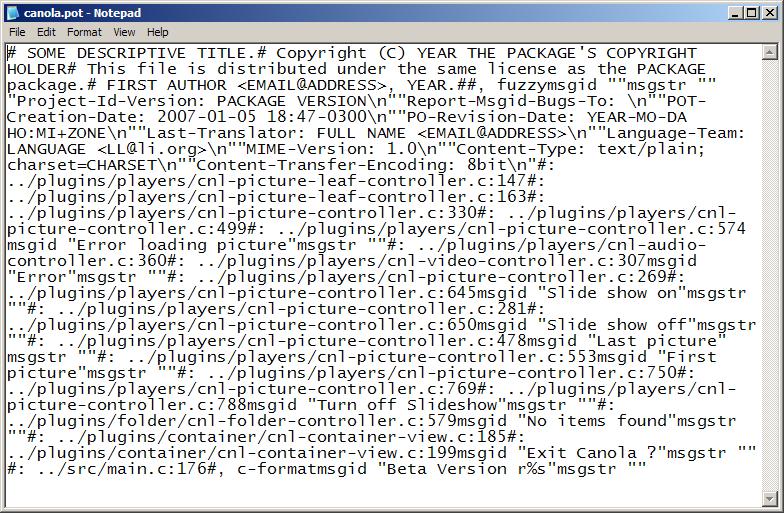
2) Because I am normally a windows XP user in the home (and although my Nokia 770 OS is Linux) the first thing I did, was to take a quick look at the content of one of them with the trusty old windows notepad application.

Urrrghh, what's the congealed mess I said to myself.

3) I then fired up firstobject XML Editor to see if it presented the text in a more clear and formatted manner.

That's much better, it's now easy on the eye and I can look at the editing task ahead. Initially I thought that this XML editor was ideal with it's small footprint on the PC (Just an exe and no registry changes etc) I do like it's simplicity and ability to open and tile/work with multiple files at a time for easy cutting and pasting i.e.

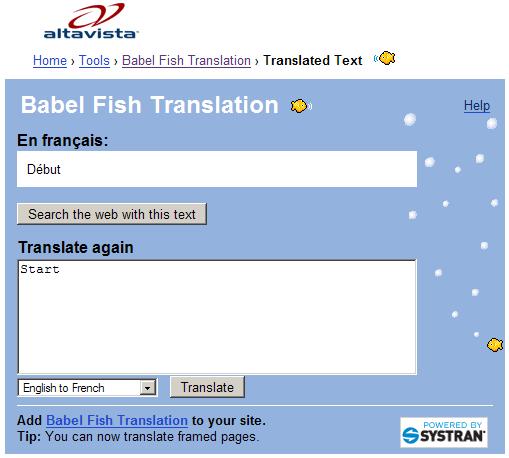
4) I then opened the Babelfish webpage in Firefox my favourite web browser to begin translating the English (msgid) strings into French (msgstr) strings.

I appreciate that is not necessarily the best way to start, but I wanted a quick feel for the task ahead, believing it's better to prepare a quick general translation, then discuss accuracy with a few friends because translating from one mother tongue to another as we all know is fraught with problems.

I calmly and methodically edited all the provided *.pot files saving them with the same extension but adding French in titles accordingly. I had no idea what elements of the file header needed modifying and was not sure how to record and change date/time accurately every time I modified the file. (using the XML editor)

5) I then dived onto the web to find out more about *.pot files and found a useful section in Free/Open source software "A guide to Localisation" which would have been very helpful before the start of my activities. "Gettext: Architectural Overview" and "The POT and PO file format" sections of the guide give an effective overview of Word Internationalisation "i18n" and *.pot and *.po files

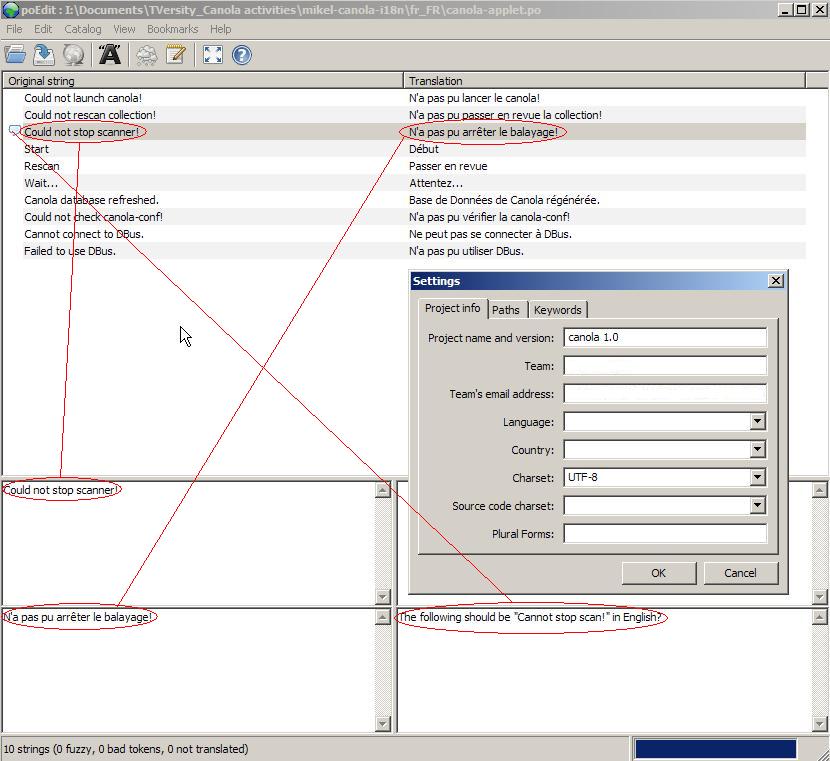
6) OK, Now I am beginning to get it, I downloaded poedit which as I found out is a program specifically designed for creating *.po from *.pot files which runs fine on M$ Windows. I now understand that the *.pot files can be constantly updated as the GUI further develops.

The *.po files understand (with Poedit) how to take the additions/modifications from the *.pot adding them to the *.po automatically (So the person translating only needs to add translation for the added/modified items which are easy to see in the Poedit interface)

Basically you highlight a line in the file and then you are able to edit the translation and make comments etc. (The catalog, settings: window allows for modification to file header records i.e. Team and email values)


7) My understanding of completed canola translations at time of this post are

Brazilian pt_BR
Catalan ca_ES
French fr_FR
German de_DE
Italian it_IT
Polish pl_PL
Spanish es_ES

Where currently the most up-to-date list and downloads of translated *.po and also the originating *.pot can be found in the zip files held here.

8) Please be aware that currently none of the translations will work with Canola 1.0 (beta1) version as its not ready to interface with them. However the more translations that are provided by the Canola user community, the more that will be available when a version of Canola is released that supports the GUI translation *.po files.

9) Of course this "how to" is only an overview for windows users, but I would like to think that everyone who wants a little understanding of GUI translation in Linux will find it useful.

I would like to thank Gustavo Sverzut Barbieri and Hanful for their support, whilst I gained an understanding of what was required to create the Canola GUI and Config translation files.

If you have any comments, questions or suggestions, please add them by commenting against this blog post.

Tuesday, January 09, 2007

New Apple iPhone videos in webjay RSS Feed

If the apple iPhone is as good as it appears in the promotional videos and images on the new iPhone web page! (Technical Specifications)

I thought I would add the mov URL's to an RSS Feed in my webjay account newappleiphone.xml

The RSS Feed and video playback works well on my TV and Philips SL300i via TVersity (Transcoded from mov to mpeg1 for my SL300i but TVersity transcodes to other formats such as wmv for the xbox360)

Alternatively you can view the videos normally on your PC via the new Apple iphone page

Let's hope the iPhone is not totally AV crippled by DRM like the MS Zune and is able to link with Media servers such as TVersity.

I thought I would prepare this post in my blog to illustrate how easily webjay can be used to create an RSS Feed playlist of Internet available AV URL's that can be shared with for example the TVersity Universal Media Player Community.

Here is a low quality video from the BBC of Steve Jobs talking about the iPhone at his 2007 Keynote speech

---Edit---Here is the full iPhone demonstration, Steve Jobs made during his 2007 Keynote speech in QT mov streaming only format!

Sunday, January 07, 2007

Nokia N800 Internet Tablet on it's way


There has been increased Technical interest over the weekend at what appears to be a scoop, ahead of an official announcement of the Nokia N800 Internet Tablet at CES.

I am not going to review and re-edit information from posts made by others to give the impression I know all about the Nokia N800, just provide a few useful links to blog and forum items have found talking about it's comparison for example to the earlier Nokia 770 (with pictures)

Here we go then :-

This post will be edited and updated as I find more useful information over the next few days.

Thank you to all the guys in North America taking time to provide early Nokia N800 information to all and users of a currently available Internet Tablet such as the Nokia 770. Lets hope the Nokia N800 is available soon in Europe and the rest of the world.

Tuesday, December 26, 2006

TVersity Release 0.9.9.2 (Dec 25, 2006)


A new version of TVersity was released on 25th December 2006 where in most recent beta release itterations, it addresses AV streaming issues to ensure Xbox 360 users move over in their droves to a real Internet and Network capable UPnP Media Server.

The "TVersity Universal Media Player" has a clear roadmap and goal, where if my understanding is correct it's to :-

  • Enable all it's user community of numerous network AV playback devices to "just" play any NON DRM'd AV media from "Wherever they want to Wherever they are" without worrying about download, conversion and network media serving issues.
My advice is to keep a watchful eye on TVersity through 2007, where here are some useful links :-

Sunday, December 24, 2006

ThoughtFix and Welcome to your Nokia 770

I have just been reading ThoughtFix's "welcome to your new Nokia 770" Post in his Blog on the uses for a Nokia 770.

Great post ThoughtFix with lots of useful information for new users that you have gained via your personal use of a Nokia 770 with your desire to try out the very latest on what can be achieved.

We really do need more users of the Nokia 770 like yourself, to continue to reduce any mystery surrounding just what the Nokia 770 Internet Tablet can/could be used for via it's underlying Linux based OS.

The Nokia 770 is already a great little Wi-Fi Internet Tablet, which works well in it's primary role as a truly portable internet surfing device. With the further interest and hacking styled developments from the User/Linux/Maemo community in 2007, who knows where and how this fledgling Internet Tablet Market could develop?

Monday, December 18, 2006

Canola, with themes and multi-language support


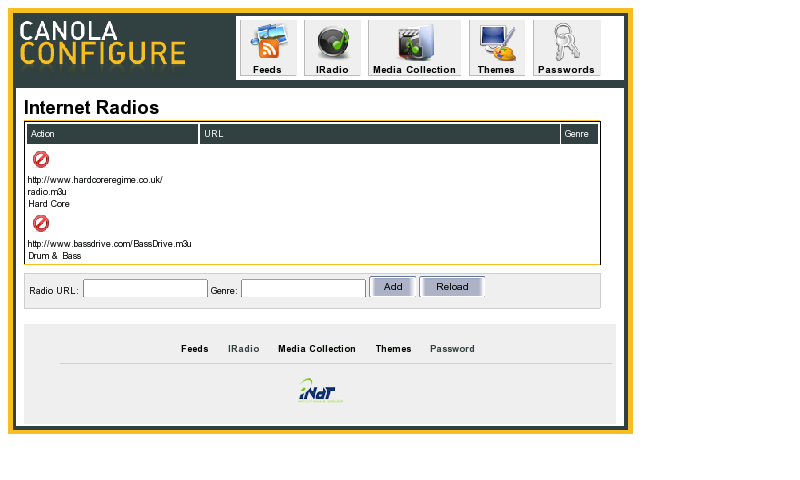
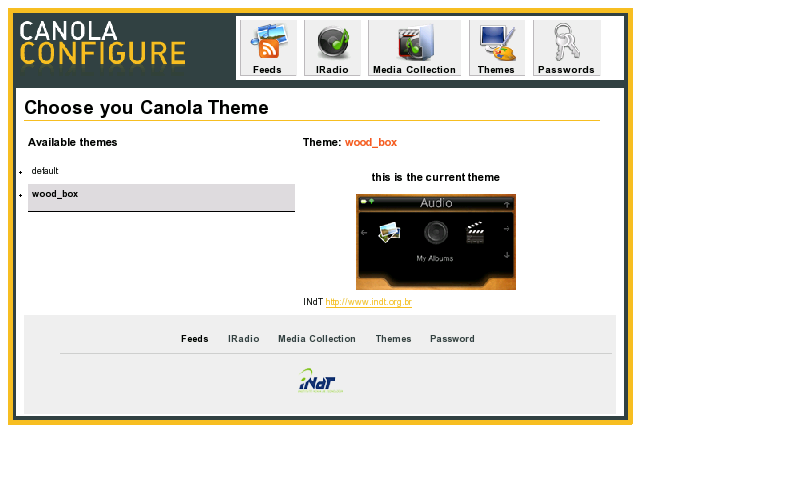
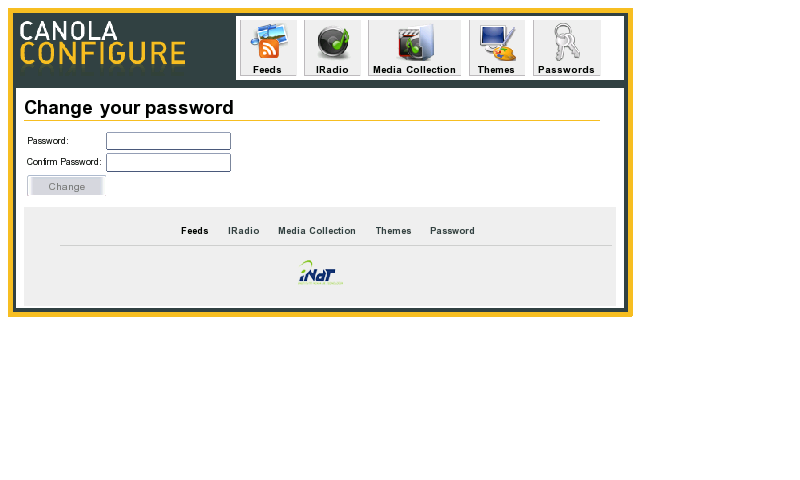
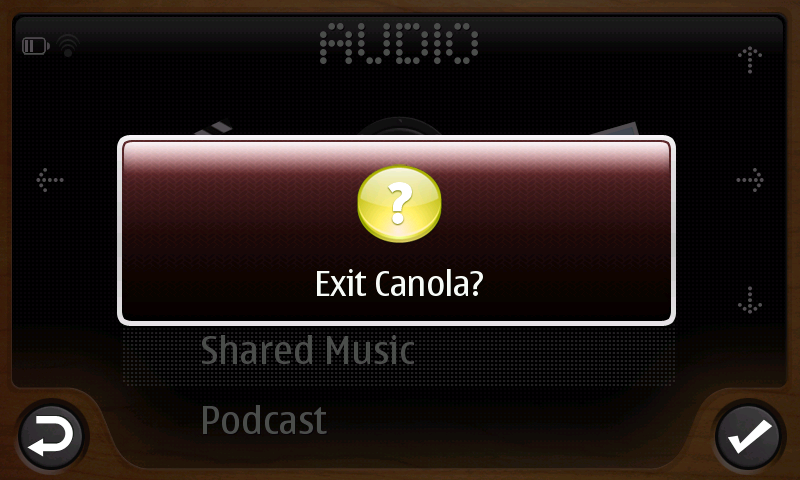
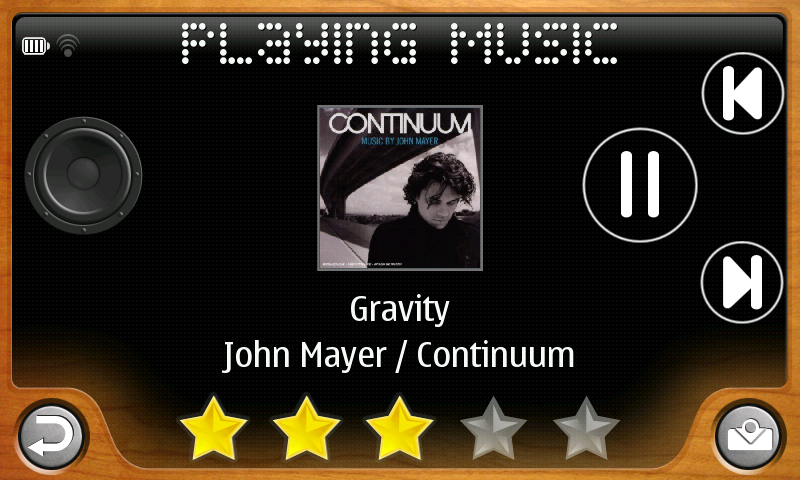
I thought it useful to post some further images to illustrate current Canola Beta Version r1726:1727M, now installed on my Nokia 770. (Previous blog posts were of an earlier demo version)

In this post I provide Nokia 770 screen captures which illustrate presentation improvements to Canola Config (Web interface) and the Canola players support for themes; I have therefore provided some images of the new wood_box theme [that can be quickly changed too, from the default theme, via the config interface see 1d)] these images 2..) quickly illustrate the difference to the default theme.

---- Edit
22/12/06 ----

I can heartily recommend downloading the latest high quality Video Tutorial
"Canola How to" from Marcelo as there are real hidden gems such as how to quickly navigate from now playing to top menu and back again. Be warned however that it's a hefty 82Mb; or alternatively you can watch the lower quality YouTube version Found Here I believe that my blog post images compliment Marcelo's Video explanation of Canola usage.

---- End Edit 22/12/06 ----

Not highlighted in the images below is that Canola will be capable of multi-language interface support. The minor catch is the Canola team a requesting support from the Canola user community to take three small .pot files to translate Canola UI files to another lanaguge. The files that require translating can be found
here

1a) Canola Config, Feeds page (Photocast & Podcast) 1b) Canola Config, IRadio 1c) Canola Config, Media Collection 1d) Canola Config, Themes 1e) Canola Config, Passwords 2) Canola, Woodbox Theme. (Initial screen, NO Network connection) 2a) Browsing local audio content 2b) Playing local audio content. (time played, audio level and rating options)

2c) Playing network served audio content (No rating option currently available in network mode) 2d) Playing network served audio content (switched to volume slider option) 2e) Playing a slide show of local photo content. (Note: icons for pause and return) 2f) Error: When attempting to browse served media when no network connection made. 2g) Message ready waiting to close or return to Canola.
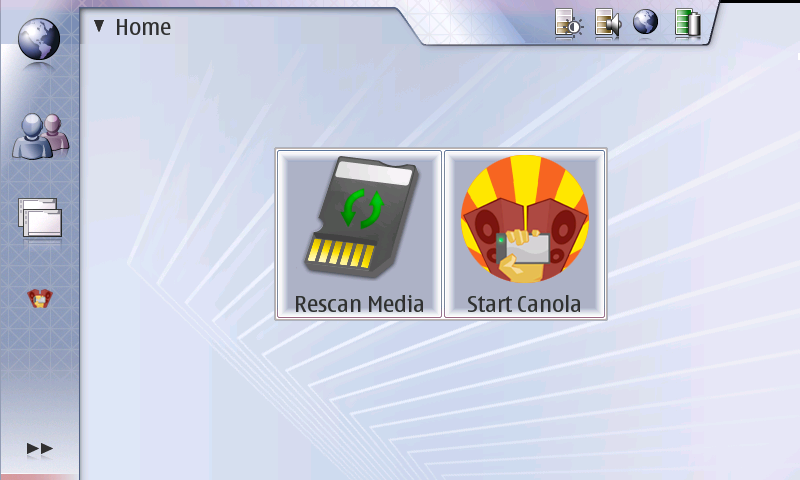
Last and not least (I almost forgot) Canola's Nokia 770 desktop applet (Finger size) for quickly refreshing shared media and/or starting Canola.

If anyone has any questions or comments, don't hesitate to provide feedback as I wish to improve my posts, in an attempt to ensure they are always useful.